Every key,
a little clack.
Clacket plays real mechanical switch recordings as you type, on the keyboard you already have. It lives in your menu bar, uses almost nothing, and never connects to the internet.
macOS, Windows and Linux · Free, with a $5 Pro upgrade
Try every switch
Pick a switch, then type anywhere on this page. On a phone, tap the keys.
These are the same recordings Clacket plays. In the app they follow your typing everywhere, not just on this page.
What you get
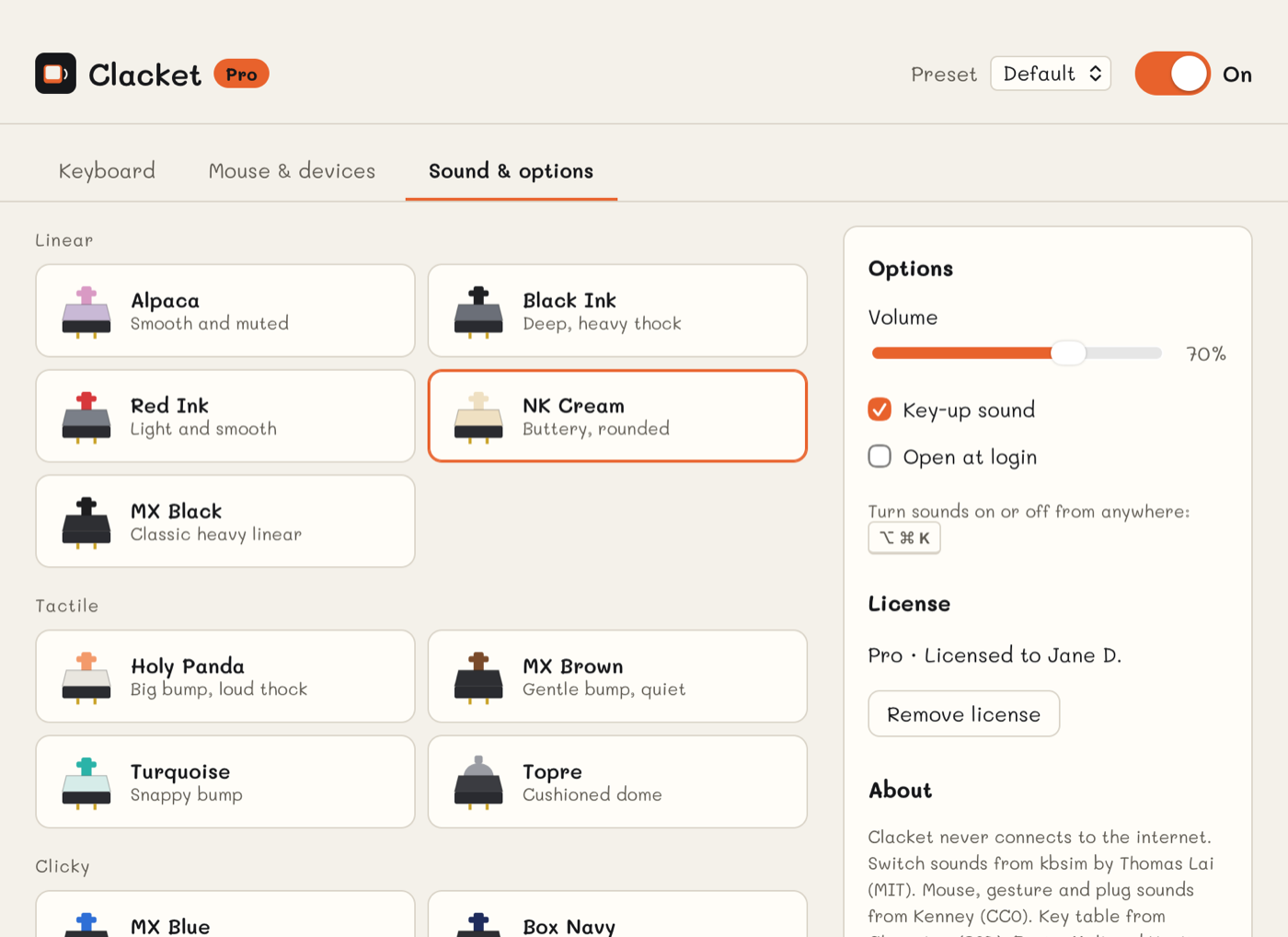
Thirteen recorded switches
Linear, tactile and clicky, from a soft NK Cream to a buckling spring. Space, Enter and Backspace get their own recordings where the switch has them, plus a quiet sound when you lift the key.
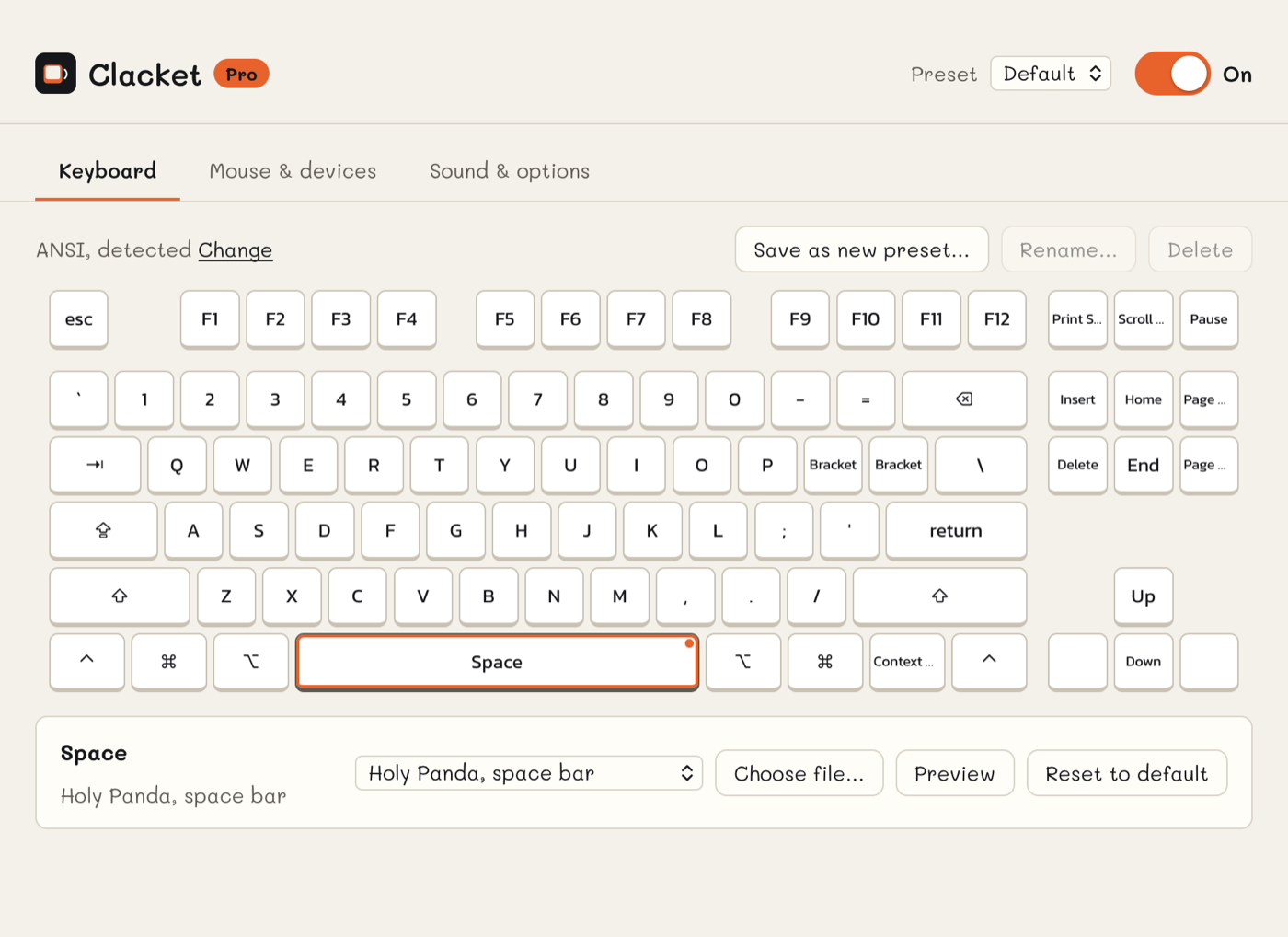
A sound for any key
Click a key on the on-screen keyboard, or just press it, and give it any switch's sound or your own MP3 or WAV. The drawing follows your keyboard's shape, ANSI, ISO or JIS, and shows your own language's letters.
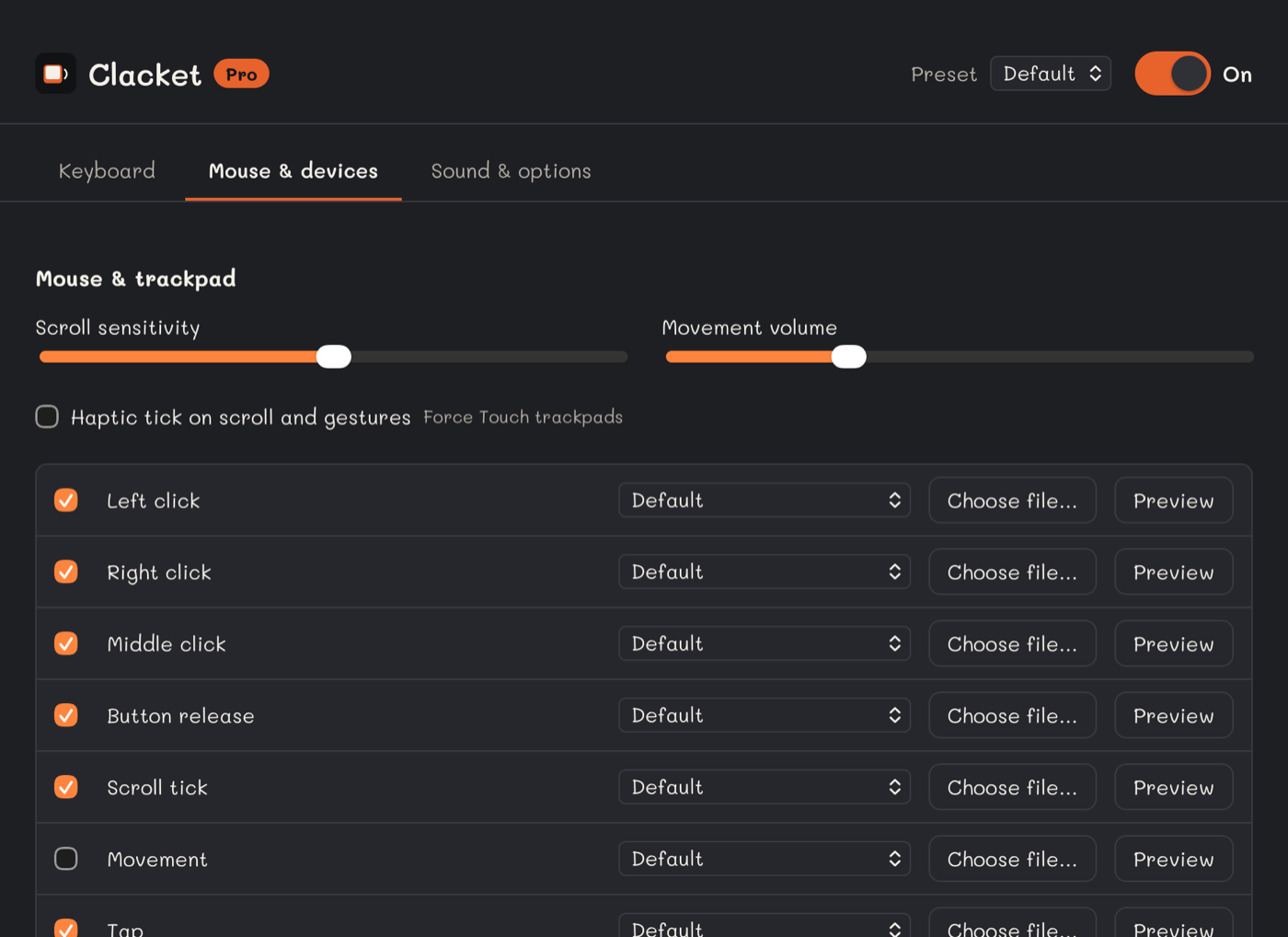
Mouse, trackpad and plugs
Clicks, scroll ticks, taps, swipes and pinches. A sound when you plug in a USB drive, a phone, a charger, a display or headphones, with the port when your system reports it.
- 23 MB of memory while it waits
- 0% CPU when you're not typing
- 5 MB program, every sound built in
- 0 network connections, ever
Free, or $5 once
Free
$0
- 4 switches: NK Cream, MX Brown, MX Blue, Topre
- Volume, key-up sound, mute shortcut
- Opens at login, lives in the menu bar
Pro
$5 once, yours for good
- All 13 switches
- A sound for any key, your own files, presets
- Mouse, trackpad and gesture sounds
- Plug-in sounds for USB, chargers, displays and headphones
Pay in your browser, get a key by email. Clacket checks it on your computer, offline.
It never phones home
Clacket listens to your keys only to play a sound. It doesn't record what you type, keep it, or send anything anywhere. There is no account, no analytics and no update check. The build fails if networking code gets into the app.
Download Clacket
Version 0.2.0
First launch
macOS: Clacket asks for Input Monitoring so it can hear your keys. Turn it on in System Settings → Privacy & Security → Input Monitoring, then reopen Clacket. If macOS says the developer can't be verified, right-click Clacket in Applications and choose Open.
Linux: add yourself to the input group, then log out and back in.